





The Technical Migration Guide: Transitioning to the Next-Generation Marketing Cloud
Enterprise marketing organizations face a significant architectural shift. For over a decade, traditional enterprise marketing platforms operated on isolated, acquired infrastructure. These systems...

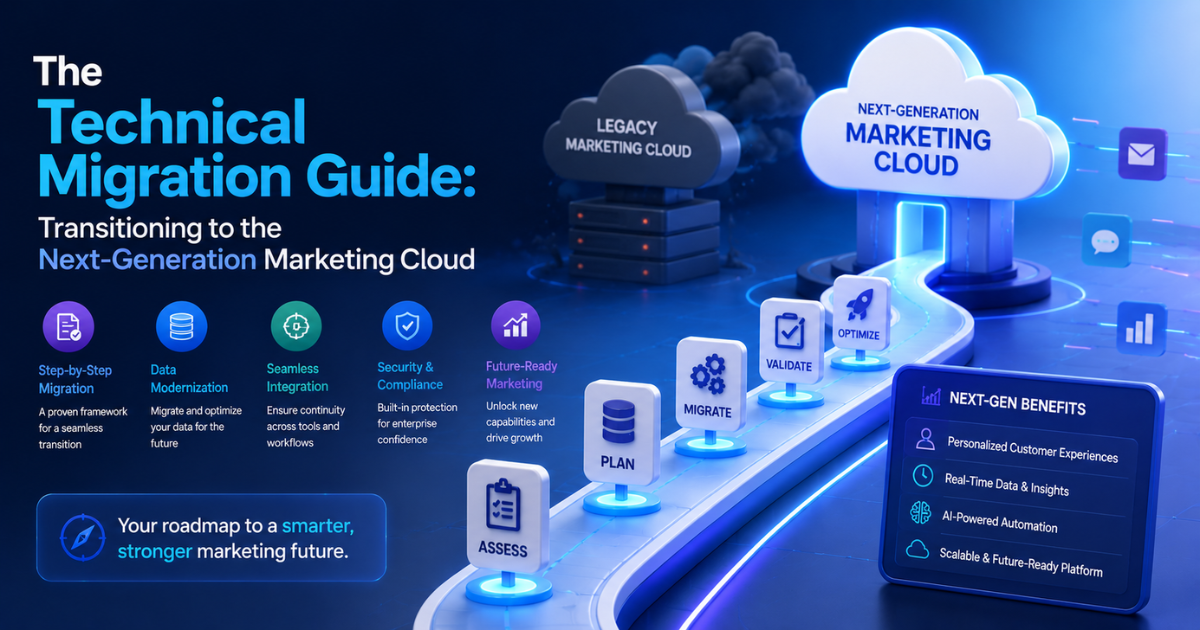
Table Of Content
- The Structural Drivers Behind Next-Gen Migration
- Technical Comparison of Platform Generations
- Essential Steps for a Technical Migration
- 1. Data Schema Mapping and Harmonization
- 2. Rewriting Scripting and Dynamic Content
- 3. Migrating Automation and Journeys
- Ensuring Deliverability and Managing the Cutover
- Warm Up New IP Addresses
- Execute the DNS Configuration Changes
- Overcoming Critical Transition Challenges
- 1. Managing Storage and Processing Limits
- 2. Normalizing External Data Integration
- Real-World Migration Example
- The Legacy Operating Setup
- The Transformation Process
- The Operational Business Impact
- Conclusion
Enterprise marketing organizations face a significant architectural shift. For over a decade, traditional enterprise marketing platforms operated on isolated, acquired infrastructure. These systems required complex, custom data connectors to link with core CRM databases.
The industry has moved toward a unified, native model. Next-generation platforms run directly on core CRM infrastructure. They integrate directly with advanced data engines and autonomous artificial intelligence frameworks.
Moving to this modern framework requires systematic preparation. It involves changes to data models, asset compilation, and automation logic.
This technical guide outlines the exact processes required for a successful transition. It details how professional Salesforce Marketing Cloud Services ensure system reliability and long-term scaling during a platform migration.
The Structural Drivers Behind Next-Gen Migration
- Legacy infrastructure utilizes independent databases. This design requires batch synchronization routines to move information between sales records and marketing systems.
- These data pipelines frequently drop connections, cause sync delays, and lead to duplicate profiles. This separation complicates real-time customer targeting.
- Next-generation Salesforce Marketing Cloud architecture solves this problem by running directly on core relational infrastructure. It utilizes a central data foundation to ensure immediate visibility across all sales, service, and marketing interactions.
- Market data supports this shift. The 2026 Salesforce Connectivity Benchmark Report notes that 95% of enterprise IT departments report facing major integration challenges when using disconnected systems. Additionally, uncoordinated operations can cause significant revenue loss due to delayed customer data processing.
Technical Comparison of Platform Generations
A successful platform migration requires a clear understanding of changes in the underlying technology stack. Developers and architects must adapt their approach to identity resolution, programming languages, and automation engines.
| Functional Component | Legacy Infrastructure (Engagement) | Next-Generation Architecture (Next) |
| Data Architecture | Relational Data Extensions (SQL-reliant) | Unified Data Cloud Object Model |
| Automation Logic | Automation Studio & Journey Builder | Core Flow Builder & Agentforce |
| Scripting Languages | AMPscript, Server-Side JavaScript (SSJS) | Apex, Lightning Web Components (LWC) |
| User Governance | Independent Marketing Business Units | Standard Core Permission Sets |
| Pricing Framework | Contact Volume Scaling | System-Wide Tenant Subscriptions |
Essential Steps for a Technical Migration
Migrating to a native infrastructure requires a structured execution plan. Teams cannot simply export and copy assets. Engineers must audit, transform, and map every data schema and asset to the new framework.
1. Data Schema Mapping and Harmonization
Legacy setups use individual tables called Data Extensions. The new framework utilizes a shared data model.
- Audit Existing Tables: Document every active data extension. Eliminate unused or duplicate data fields.
- Map to Standard Objects: Link legacy tracking elements to standard objects, such as Individual, Contact Point Email, and Phone Profiles.
- Configure Identity Resolution Rules: Set up matching criteria within the data plane. Use specific rules like exact email matches or normalized phone tracking to unify duplicate records into single profiles.
2. Rewriting Scripting and Dynamic Content
The new core platform does not process legacy coding languages like AMPscript or Server-Side JavaScript. Developers must convert these assets into standard core formats.
For complex use cases, developers use Apex code or Lightning Web Components. These tools pull live database attributes during message construction. This transition reduces custom code and makes it easier for non-technical teams to edit templates.
3. Migrating Automation and Journeys
Legacy setups run sequential activities through Automation Studio and Journey Builder. The next-generation framework moves these operations into Core Flow Builder.
- Analyze Journey Logic: Extract existing entry parameters and wait intervals from active journeys.
- Build Core Flows: Recreate multi-stage logic using standard Salesforce Flow frameworks.
- Deploy Agentic Actions: Integrate autonomous assistants into flows. These tools can analyze user behavior to determine optimal message delivery times.
Ensuring Deliverability and Managing the Cutover
Moving to new delivery servers requires careful management of sender reputation. Migrating too quickly can cause email providers to flag messages as spam.
Warm Up New IP Addresses
Organizations must gradually increase message volume when moving to new sending servers. This process establishes a positive sender reputation with major mailbox providers.
- Week 1: Send transactional messages only to highly engaged customers who opened an email within the past 30 days. Cap daily volume at 20,000 messages.
- Week 2: Introduce marketing newsletters. Increase daily sending limits to 50,000 messages.
- Week 3: Expand targeting to customers engaged within the last 90 days. Raise daily limits to 100,000 messages.
- Week 4: Move all remaining production traffic to the new infrastructure.
Execute the DNS Configuration Changes
Technical administrators must update domain records to authorize the new delivery servers.
- Sender Policy Framework (SPF): Add the designated server identification tags to the domain registration configuration file.
- DomainKeys Identified Mail (DKIM): Generate unique security keys within the new console. Publish these public keys to your domain registry to verify message authenticity.
- Domain-based Message Authentication (DMARC): Ensure checking rules match the new server alignment profiles. This prevents unauthorized servers from spoofing your domain name.
Overcoming Critical Transition Challenges
Platform migrations can introduce unexpected performance drops and integration issues. Technical leads must anticipate these obstacles to avoid system downtime.
1. Managing Storage and Processing Limits
Running high-volume marketing workflows inside a core database can impact system resources if managed incorrectly. Large data flows can slow down page loading times for daily CRM users.
Architects prevent this issue by filtering data before running automation steps. Instead of running open-ended queries across entire databases, use localized segments.
Run resource-intensive processes during off-peak operational hours. This practice ensures system availability and dashboard responsiveness during peak business hours.
2. Normalizing External Data Integration
Enterprises often ingest tracking metrics from external applications, such as website analytics platforms or point-of-sale systems. Injesting raw, unformatted data can cause system errors.
Migrating teams configure validation layers to clean data before writing to the database. These layers check incoming files for format errors and enforce standard naming conventions. This step prevents corrupted records from disrupting automated marketing paths.
Real-World Migration Example
Consider a large, multinational retail firm migrating to the new infrastructure.
The Legacy Operating Setup
The company used a legacy platform to manage an audience of 5 million subscribers. Their marketing database sat separate from their customer service system.
The company used custom batch scripts to synchronize contact records every night. This delay meant that if a customer opened a support ticket, the marketing team would still send them promotional offers the next morning, causing customer friction.
The Transformation Process
The company engaged certified Salesforce Marketing Cloud Services to manage their migration.
- Schema Alignment: The team mapped 40 custom data tables into a unified model, creating a single profile for each customer.
- Script Conversion: Developers translated 150 legacy AMPscript modules into standard core templates. This update reduced template maintenance overhead by 35%.
- Automation Transition: Engineers rebuilt complex scheduled query paths inside Core Flow Builder, allowing user actions to trigger marketing paths instantly.
- Domain Migration: Administrators executed a 4-week IP warming routine, maintaining 99% inbox placement rates during the transition.
The Operational Business Impact
The unified native architecture changed the company’s marketing operations. The team eliminated nightly data synchronization errors.
When a customer submits a support issue, the core platform updates instantly, pausing promotional messages automatically. This real-time synchronization significantly reduced email opt-out rates and helped the team launch new campaigns faster.
Conclusion
Migrating to the next-generation architecture requires moving from isolated data silos to a unified, core-native model. While this shift requires careful data mapping, asset conversion, and structured IP warming, the long-term benefits are substantial.
By unifying data, automation, and channel execution on a single platform, organizations can eliminate integration silos and reduce system maintenance overhead. Working with certified Salesforce Marketing Cloud Services allows enterprises to execute this transition safely, creating a scalable foundation for modern, real-time customer engagement.



No Comment! Be the first one.